Skip to main content
Laptop How-To
Connecting Your Laptop
- Make sure your wireless card is turned on. (Some laptops have a physical switch you must turn on.)
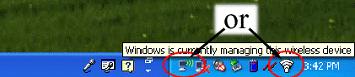
- If you see the wireless icon in the bottom of your screen, right-click on it. Click on View Available Wireless Networks. Click on one of the NCPL networks.
- If you do not see the wireless icon, your wireless card may be disabled. Click on the Start Menu, and go to the Control Panel. Double click on network connections. Find the Wireless Network Connection, and right click on it. Then click enable. The wireless icon should be on the bottom of your screen now. Go back to step 2.
On Windows Vista
- Make sure your wireless card is turned on. (Some laptops have a physical switch you must turn on.)
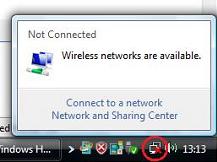
- If you see the wireless icon in the bottom of your screen, right-click on it. Then click Connect to a Network. Select one of the NCPL networks.
On Windows 7
- Make sure your wireless card is turned on. (Some laptops have a physical switch you must turn on.)
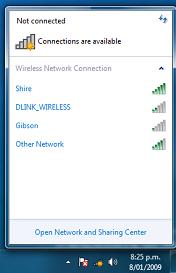
- If you see the wireless icon in the bottom of your screen, click on it. Select one of the NCPL networks from the list of available wireless networks.
- If prompted, select Public for the network location.
On Windows 8
- Swipe in from the right edge of the screen, and then tap Settings.
(If you're using a mouse, point to the lower-right corner of the screen, move the mouse pointer up, and then click Settings.)
- Check the network icon. It'll show if you are connected and how strong the connection is.
- If you are not connected, tap or click the network icon
- Tap or click either the ncpl or NCPL network, and then tap or click Connect.
On Mac OS X
- Make sure AirPort is turned on.
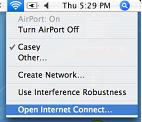
- Click the AirPort icon, and select one of the NCPL networks from the list of available networks.
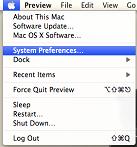
- If the AirPort icon is not in the top right hand corner of your screen, click on the apple icon in the top left hand corner, go to system preferences, and then network. You can control the AirPort card from there. Ensure the card is on, and select one of the NCPL networks from the list of available networks.